

[This page contains affiliate links, which means I may earn a commission from qualifying purchases at no additional cost to you. As an Amazon Associate I earn from qualifying purchases.]
For most photographers whose cameras use standard SD cards, I recommend the SanDisk Extreme PRO SDXC UHS-I as the best overall choice.
It’s a reliable, widely compatible card with enough speed for everyday photography, portraits, landscapes, and short bursts.
If you regularly shoot long bursts or use demanding video modes with a UHS-II camera, the ProGrade Digital Gold UHS-II V60 is a worthwhile upgrade.
If your camera uses CFexpress, buy the type specified in its manual. See my recommended CFexpress Type A card or CFexpress Type B card.
→ Jump to: The Best Memory Cards for Photography
→ Jump to: How Fast Does Your Memory Card Need to Be?
Before you buy: Check your camera manual to confirm the required card format, maximum supported capacity, and whether the camera supports UHS-I, UHS-II, CFexpress Type A, or CFexpress Type B.
Related Photo Storage and File Guides
Choosing a memory card is one part of managing your photo files. These guides cover capacity, file formats, and long-term backup.
| If you want to… | Start here |
|---|---|
| Estimate how many photos a memory card can hold | How Many Photos per GB? |
| Understand how file format affects storage | RAW vs JPEG |
| Protect your photos after transferring them | Best Photo Backup Solutions |
The Best Memory Cards for Photography
Not sure what kind of memory card your camera takes? Jump down for guidance on finding out.
Here are the memory cards I recommend for different types of cameras:
| Category | Recommendation | Best for |
|---|---|---|
| Best UHS-I SD card | SanDisk Extreme PRO SDXC UHS-I | Everyday photography and UHS-I cameras |
| Best SD card for most UHS-II photographers | ProGrade Digital Gold UHS-II V60 | Portraits, weddings, events, and moderate bursts |
| Best high-performance SD card | Lexar Professional 2000x Gold UHS-II V90 | Long RAW bursts and modes requiring V90 |
| Best CFexpress Type A card | ProGrade Digital Gold CFexpress Type A | Cameras that specifically support CFexpress Type A |
| Best CFexpress Type B card | ProGrade Digital Gold CFexpress 4.0 Type B | Cameras that specifically support CFexpress Type B |
| Best microSD card | SanDisk Extreme PRO microSDXC UHS-I | Drones, action cameras, and microSD devices |
Keep reading to learn who each card is for, why I recommend it, and what to check before buying.
Best UHS-I SD Card: SanDisk Extreme PRO SDXC UHS-I

The SanDisk Extreme PRO SDXC UHS-I is the most sensible starting point for photographers whose cameras cannot use UHS-II.
Current 128GB and higher-capacity versions are rated up to 200 MB/s read and 140 MB/s write, with U3 and V30 ratings.
It’s a strong general-purpose option for everyday photography, portraits, landscapes, and short bursts.
It may not meet the requirements for every demanding video mode or long RAW burst. For most photographers, 128GB and 256GB are the useful capacities to compare.
Check pricing for the SanDisk Extreme PRO SDXC UHS-I.
Best SD Card for Most UHS-II Photographers: ProGrade Digital Gold V60

The ProGrade Digital Gold UHS-II V60 is the strongest middle-ground option.
It’s rated up to 250 MB/s read and 130 MB/s burst write, while its V60 rating guarantees a minimum sequential-write level of 60 MB/s under the applicable standard.
That gives photographers with compatible cameras more performance than a typical UHS-I card without automatically pushing them into V90 pricing.
It’s a good starting point for portraits, weddings, events, moderate action, and hybrid work.
Note: Check your camera’s requirements before assuming V60 supports a particular video mode.
Check pricing for the ProGrade Digital Gold V60.
Best High-Performance SD Card: Lexar Professional 2000x Gold V90

The Lexar Professional 2000x Gold UHS-II V90 is the step-up choice for photographers who can identify a real reason to buy V90.
It’s rated up to 300 MB/s read and 260 MB/s write. Its V90 rating guarantees at least 90 MB/s of sequential write performance under the standard’s defined conditions.
Choose it for a compatible camera when long RAW bursts, buffer clearing, or a particular recording mode justifies the extra cost.
A V90 card in a UHS-I camera is usually an expensive way to get UHS-I performance.
Check pricing for the Lexar Professional 2000x Gold V90.
Best CFexpress Type A Card: ProGrade Digital Gold Type A

The ProGrade Digital Gold CFexpress Type A is rated up to 900 MB/s read and 800 MB/s burst write.
ProGrade lists a 600 MB/s sustained write speed and a VPG 200 rating.
It’s available in 120GB, 240GB, 480GB, and 960GB capacities. Buy it only for a camera that officially supports CFexpress Type A.
If that camera also accepts SD, CFexpress makes the most sense when bursts, buffer clearing, or a specific recording mode gives you a concrete reason to pay more.
Check pricing for the ProGrade Digital Gold Type A.
Best CFexpress Type B Card: ProGrade Digital Gold 4.0 Type B

The ProGrade Digital Gold CFexpress 4.0 Type B is rated up to 3,400 MB/s read and 3,000 MB/s burst write.
Sustained-write specifications vary by capacity:
- 240GB: up to 700 MB/s
- 512GB: up to 850 MB/s
- 1TB and 2TB: up to 1,500 MB/s
That difference matters.
Don’t apply the 1TB specification to a smaller card simply because they share a product name. Your camera may not use the full transfer potential of CFexpress 4.0.
Part of its advantage may appear when offloading through a compatible USB4 reader rather than while shooting.
Check pricing for the ProGrade Digital Gold 4.0 Type B.
Best microSD Card: SanDisk Extreme PRO microSDXC UHS-I

The SanDisk Extreme PRO microSDXC UHS-I is rated up to 200 MB/s read and 140 MB/s write and carries U3, V30, and A2 ratings.
For photography, U3 and V30 matter more than A2, which concerns application performance in compatible devices.
Use it for a drone, action camera, or other device that requires microSD and lists the card or its specifications as compatible.
Although an adapter may let it work in a full-size SD slot, full-size SD remains the cleaner default for a camera designed around that format.
Check current pricing for the SanDisk Extreme PRO microSDXC UHS-I.
Before You Buy: Check What Memory Card Your Camera Uses
Before you compare products, check your camera’s manual or official support page. Look for a specification labeled:- Storage media
- Recording media
- Compatible cards
- Memory-card type
- Card requirements

SD, microSD, and CFexpress Are Different Formats
- SD cards are widely used in DSLR and mirrorless cameras. The slot may support UHS-I or the faster UHS-II interface.
- microSD cards are common in drones, action cameras, and compact devices.
- CFexpress Type A cards are compact, high-performance cards used in select compatible cameras.
- CFexpress Type B cards are physically larger and have greater potential throughput than Type A.
CFexpress Type A and Type B are not interchangeable.
Type A uses one PCIe lane and Type B uses two.
Your camera determines which one you can use.
But a card physically fitting into a slot doesn’t mean that it supports every mode the camera offers. Check the media requirements for long RAW bursts, high-frame-rate shooting, and high-bitrate video.
Check Both Slots in a Dual-Slot Camera
A camera may have two matching slots, one SD and one CFexpress slot, or a slot that accepts either SD or CFexpress Type A.
Check each slot separately, especially if you want to record the same files to both cards.
A slower second card may affect buffer behavior or available recording modes, depending on the camera.
Card-slot design should also be part of choosing a professional body.
What the Symbols and Speeds Mean
256GB, SDXC, UHS-II, U3, V60, and 250 MB/s—memory cards come with a lot of different things written on them or about them.
Keep reading to find out what it all means.

UHS-I vs UHS-II
UHS describes the interface used to transfer data between an SD card and a compatible camera or reader.
The SD Association lists potential bus speeds up to 104 MB/s for UHS-I and 312 MB/s in the fastest UHS-II mode.
These are interface ceilings, not guaranteed card speeds. Both the card and device must support UHS-II to use UHS-II performance.
V30 vs V60 vs V90
The number after the V identifies a minimum sequential-write performance level:
- V30: 30 MB/s
- V60: 60 MB/s
- V90: 90 MB/s
The card may write faster than that minimum.
A manufacturer’s larger “up to” number describes potential maximum performance under its test conditions.
Don’t translate these ratings into universal resolution labels.
Frame rate, bitrate, codec, compression, and simultaneous recording all affect what a camera requires.
Read Speed vs. Write Speed
Write speed matters while the camera saves photos or video.
It can affect burst duration, buffer clearing, and whether the card supports a demanding recording mode.
Read speed matters primarily when transferring files from the card. Neither improves the quality of an individual photograph.
What VPG Means
Some CFexpress cards carry a Video Performance Guarantee rating.
VPG 200 or VPG 400 identifies a certified minimum sustained-write level under the CompactFlash Association’s applicable protocol.
The association explains the standard and maintains a list of certified cards.
If a camera mode requires VPG media, confirm the exact card through the camera manufacturer and certification list.
How Fast Does Your Memory Card Need to Be?
For portraits, landscapes, travel, and short bursts, a UHS-I V30 card may be enough.
For a compatible UHS-II camera used for weddings, events, or moderate action, V60 is a sensible middle tier.
V90 or CFexpress is probably only needed when:
- You regularly shoot long RAW bursts
- The camera buffer repeatedly limits you
- You record demanding video
- The camera explicitly requires faster media
- Faster offloading saves meaningful time
RAW files are generally larger than JPEGs, which makes speed and capacity more noticeable during heavy shooting.
For burst-dependent work, look for independent tests involving your exact camera and card capacity.
How Much Memory Card Capacity Do You Need?
Capacity depends on your file size, format, shooting volume, and video use.
| Capacity | Good starting point for |
|---|---|
| 32GB | Light JPEG shooting or older cameras |
| 64GB | Everyday photography and moderate mixed shooting |
| 128GB | Travel, events, weddings, and regular RAW photography |
| 256GB | High-volume RAW and mixed photo/video work |
| 512GB and above | Heavy video, very large files, or long periods without offloading |
Use our storage calculator to find the average size of your own files. Then add enough headroom for a longer-than-normal shoot.
One large card reduces card changes but concentrates more work on one piece of media.
Several smaller cards divide the shoot but require more handling and tracking. Choose the system you can execute consistently.
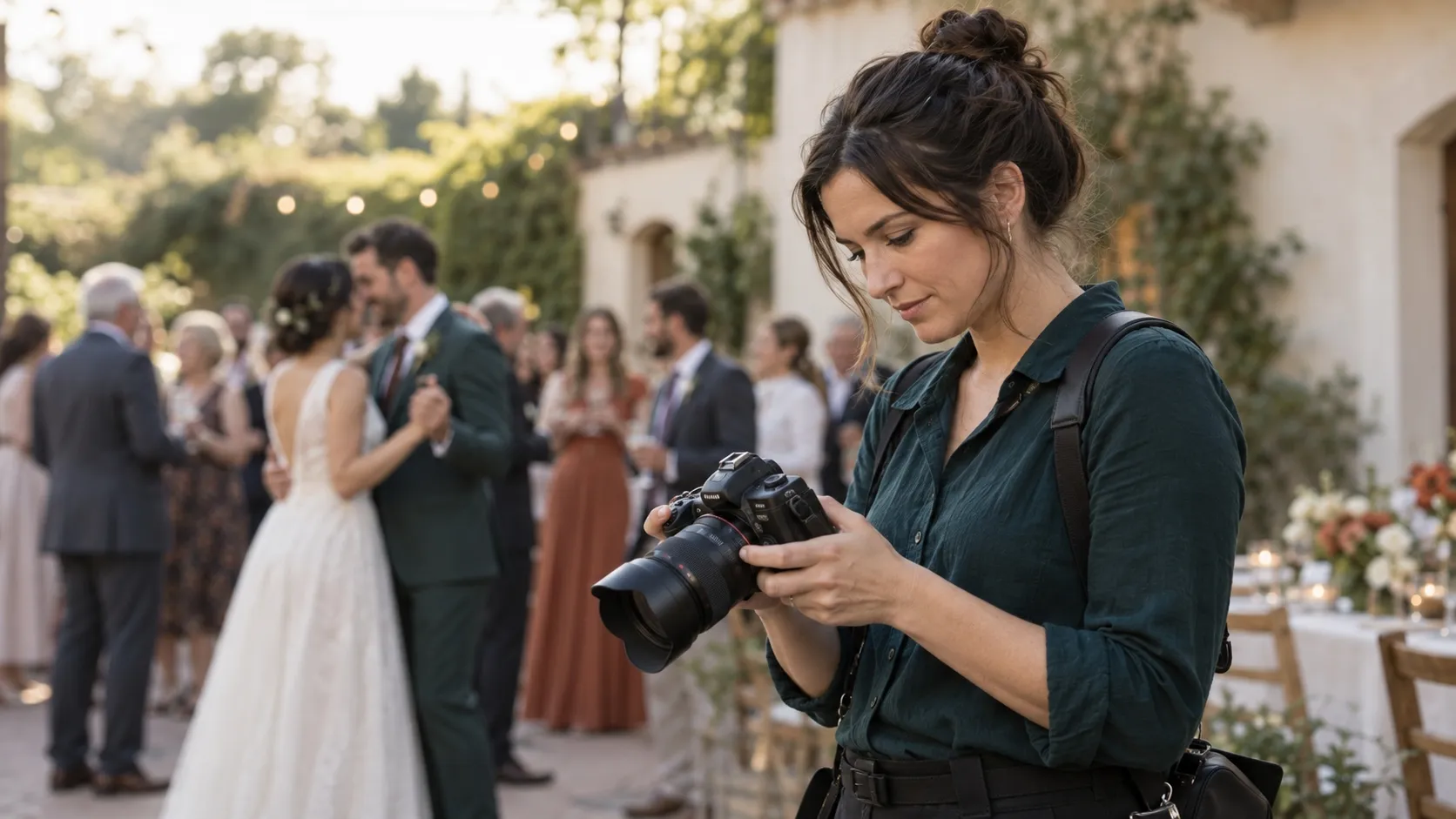
Memory Cards for Wedding Photography
For wedding photography, the card needs to fit a larger system:
- Enough speed for the camera and shooting style
- Enough capacity for a long day
- A clear plan for both slots
- A secure way to handle exposed cards
- A backup process after the files leave the camera
For my wedding work, 128GB and 256GB are the capacities I would compare first.
RAW coverage fills cards much faster than casual shooting, especially once a full day includes bursts and occasional video.
A 128GB card may be enough with moderate-size RAW files and controlled shooting.
A 256GB card gives more margin for high-resolution files, heavy shooting, RAW+JPEG, or video.
Use Both Slots Intentionally
Recording identical files to two cards creates in-camera redundancy when the camera supports it.
Using the second card only as overflow increases capacity but does not create a second copy. Recording RAW to one card and JPEG to the other creates two versions, but not two identical original files.
Check how your camera behaves when one card fills or produces an error.
These behaviors vary by model and should be tested before paid work.
Test Your Cards Before a Wedding
Before trusting new media with a paid assignment:
- Confirm that the camera recognizes the capacity.
- Format the card using the camera’s procedure.
- Test the photo and video modes you expect to use.
- Transfer the files through your normal workflow.
- Open a meaningful sample.
- Confirm how both slots behave together.
Testing can’t guarantee that a card will never fail.
But it can reveal compatibility, capacity, and performance problems before client photographs are involved.
Dual-Slot Recording Is Not a Complete Backup
Two in-camera copies provide useful redundancy, but both cards remain in or near the same camera.
After the wedding, transfer the files into a system with separate local and off-site copies.
Check out our photo backup guide for how those layers work together.
How to Avoid Counterfeit Memory Cards
Make sure to buy cards from the manufacturer, an authorized dealer, or an established photography retailer.
Before buying, compare the listing with the manufacturer page.
Look for:
- The exact product name and generation
- Capacity
- Interface and speed class
- Part number or SKU
- Seller and fulfillment information
When the card arrives, inspect the seal, printing, markings, logos, and specifications.
SanDisk’s safe-buying guide identifies damaged packaging, printing problems, and inconsistent product information as warning signs.
If anything looks wrong, contact the manufacturer or return the card before using it for important work.
How to Use and Care for Memory Cards
A practical routine is enough:
- Inspect and test new cards.
- Format them using the camera’s approved procedure.
- Wait for the camera to finish writing before removing a card or battery.
- Keep blank and exposed cards clearly separated.
- Transfer and verify files promptly.
- Protect the files through a separate backup system.
- Retire cards that show repeated errors or physical damage.
Memory cards are capture media, not long-term archives.
There’s also no universal replacement schedule.
Track card age and identity, but remove a card from critical work based on repeated errors, unreadable files, incorrect capacity, major unexplained performance changes, physical damage, or a manufacturer service notice—not merely because an arbitrary number of months has passed.
If files go missing, stop writing new data to the card—new writes may reduce the possibility of recovery.
Memory Card FAQ
Here are answers to common questions about choosing the right memory card for your camera and the way you shoot.
What Is the Best Memory Card for Photography?
For a UHS-I camera, my general-purpose pick is the SanDisk Extreme PRO SDXC UHS-I V30.
For most photographers with UHS-II cameras, the ProGrade Digital Gold UHS-II V60 is the best option.
Use V90 or CFexpress only when your compatible camera or workload gives you a concrete reason.
Is SanDisk or Lexar Better?
Neither brand is universally better. Compare exact cards by format, speed rating, capacity, price, and camera compatibility. There is not enough comparable public failure data to claim that one brand is categorically more reliable.
Is V30 Enough for Photography?
For portraits, landscapes, travel, everyday stills, and short bursts, V30 may be enough. Consider V60, V90, or CFexpress if long bursts, buffer clearing, or a specific recording mode requires more.
Is UHS-II Worth It?
It can be worthwhile if your camera supports UHS-II and you shoot bursts, transfer large jobs frequently, or use modes requiring faster media. A UHS-II card cannot give a UHS-I slot UHS-II performance.
Should I Buy 128GB or 256GB?
Choose 128GB if it holds your normal shoot with a comfortable margin. Choose 256GB for larger RAW files, heavier shooting, video, or fewer card changes. Use our storage calculator with your own file size before deciding.
Is CFexpress Better Than SD?
CFexpress offers higher potential performance, but it costs more and requires a compatible camera. SD remains sufficient for a large amount of professional still photography.
Can I Use microSD With an Adapter?
A compatible microSD card can work in some full-size SD slots through an adapter. Full-size SD remains the cleaner default for cameras designed around that format.
How Often Should You Replace Memory Cards?
There is no evidence-based replacement schedule that applies to every card. Track card age, but retire media from important work when it develops repeated errors, unreadable files, physical damage, or other warning signs.
Can a Faster Card Improve Image Quality?
No. It may improve buffer clearing, support demanding recording modes, or shorten transfers, but it does not change the quality of an individual photograph.



 Español